YNAB, short for You Need A Budget, is one of the most respected budgeting apps around. Its method, give every dollar a job, has helped many people get out of debt and stop living paycheck to paycheck. But it isn't for everyone. At $109 a year in the US it's one of the most expensive budget apps, there's no free plan, it takes time to learn, it needs an account and keeps your data on its servers, and each plan works in a single currency. If that's why you're looking around, here's an honest look at how Fineyo compares, what each app does better, and how to switch.
Quick answer: Choose Fineyo if you use an iPhone and want a simpler, cheaper, more private way to see where your money goes and stay within your budgets, with no account, no bank login, 80+ currencies, shared budgets over iCloud, and fast logging with Siri, Apple Pay automation, voice, widgets, and Apple Watch. Choose YNAB if you want zero-based, envelope-style budgeting where every dollar has a job and leftover money rolls over, automatic bank sync, savings targets and a loan planner, or apps for Android and the web.
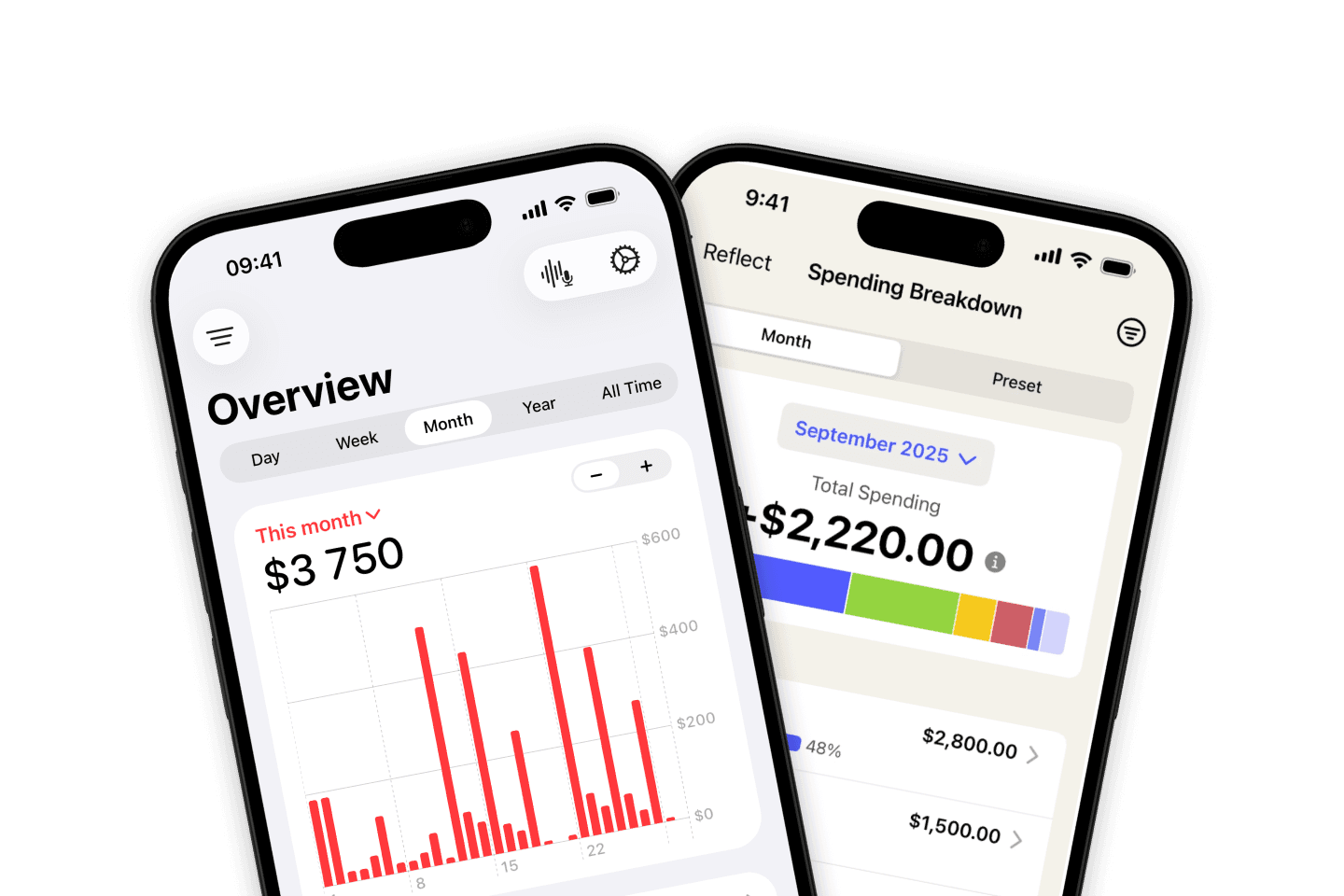
Fineyo vs YNAB at a glance
| Fineyo | YNAB | |
|---|---|---|
| Best for | Fast, private spending tracking and budgets on iPhone, alone or together | Hands-on zero-based budgeting and paying off debt |
| Budgeting method | Spending limits per period, with a daily allowance | Zero-based: give every dollar a job |
| Leftover money | Each period starts fresh | Rolls over to next month |
| Platforms | iPhone and Apple Watch (iPad and Mac coming soon) | iPhone, iPad, Apple Watch, Android, web |
| Account needed | No, no sign-up | Yes, a YNAB account |
| Where your data lives | Your iPhone and your own iCloud | YNAB's servers |
| Bank sync | No | Yes, in the US, Canada, the UK, and parts of Europe |
| Automatic logging | Apple Pay and bank notification automations, read on your iPhone | Bank sync |
| Voice input | Yes, Fineyo AI on your iPhone | No |
| Siri and Shortcuts | Add expenses and ask about spending | Add transactions and check category balances |
| Apple Watch app | Yes, with complications | Yes |
| Widgets | Home Screen, Lock Screen, and Control Center | Home Screen; Lock Screen and Control Center through Shortcuts |
| Shared budgets | Spaces over iCloud, no member limit | Share a subscription with up to 6 people |
| Savings goals | No | Targets for every category |
| Debt tools | No | Loan planner and credit card handling |
| Currencies | 80+, travel currency, multi-currency accounts | One currency per plan |
| App languages | 30+ | English |
| Free plan | Yes, with no time limit | No; 34-day free trial |
| Price (US) | Free; Pro $3.99/month, $24.99/year, or $44.99 lifetime | $14.99/month or $109/year |
| Import and export | CSV import free, export with Pro | File import, CSV export on the web |
This table uses YNAB's website, App Store listing, and help center, and Fineyo's App Store listing and help center, checked in October 2026. Prices vary by country.
Why people look for a YNAB alternative
YNAB has loyal fans, and a 4.8 rating on the App Store. People who leave usually want one of these:
- A lower price. YNAB costs $109 a year or $14.99 a month in the US, and there's no free plan once the trial ends. Its price has gone up several times over the years.
- Less work. Zero-based budgeting means assigning every dollar, moving money when you overspend, and reconciling accounts. Some people love that. Others just want to know what they spent and what's left.
- No account and no bank login. YNAB keeps your data on its servers and works best with your bank connected. Some people don't want either.
- More than one currency. Each YNAB plan uses one currency, so if you travel, live abroad, or get paid in a different currency, you need several plans and manual exchanges.
- An app in their language. YNAB is in English only. Fineyo is in 30+ languages.
Budgeting method: zero-based vs spending limits
This is the biggest difference between the two apps, and the first thing to think about.
YNAB uses zero-based, envelope-style budgeting. When money comes in, it goes to Ready to Assign, and you assign all of it to categories like rent, groceries, or a holiday until nothing is left. You only plan with money you already have. Leftover money in a category rolls over to next month, so you can save up for big or irregular costs. If you overspend, you move money from another category to cover it. Targets tell YNAB how much each category needs, by a date or every month, and YNAB shows what you still need to assign. It's powerful, and it changes how many people think about money. It also takes time to learn, and YNAB offers workshops and guides to help.
Fineyo uses spending limits. You set an overall budget, or one per category, for a day, week, month, year, or a trip, and Fineyo shows what you've spent, what's left, how much you can still spend each day, and where you're likely to end up at your current pace. Monthly budgets can start on payday. Each period starts fresh, with no rollover, and there's nothing to assign or reconcile.
If you want a full system for every dollar, YNAB is built for that. If you want to log spending quickly and stay under a limit, Fineyo gets you there with far less setup.
Bank sync and adding transactions
YNAB can link your bank accounts and import transactions automatically, through Plaid and MX. It works in the US and Canada, and in the UK and 18 European countries. Some banks aren't supported, and bank connections sometimes need to be fixed or reconnected. You can also enter transactions by hand, use Siri and Shortcuts, attach photos, review new transactions with a swipe in Card Mode, or import files from your bank.
Fineyo has no bank connections. Instead, it gives you fast ways to log, and some that happen on their own:
- Manual entry in seconds. A minimal flow for expenses, income, and transfers.
- Apple Pay automation. A Shortcuts automation logs every tap-to-pay purchase. See Apple Pay automation.
- Bank notification automation. Fineyo reads payment notifications from your bank app on your iPhone, so it also catches online and card payments.
- Voice with Fineyo AI. Say "Groceries 32 at Lidl" and it becomes a transaction. See voice input.
- Siri and Shortcuts. Log an expense without opening the app. See Siri and Shortcuts.
- Back Tap, the Action Button, and Control Center. See Quick add.
- Apple Watch. Log from your wrist, even when your iPhone isn't nearby.
These automations are free in Fineyo. Many YNAB users enter transactions by hand anyway, to stay aware of every purchase. If that's you, Fineyo makes it faster.
Privacy and your data
YNAB needs a YNAB account, and your plans and transactions are stored on YNAB's servers, so you can use them on the web and on Android. If you link your bank, Plaid or MX connect to it for YNAB. YNAB's App Store privacy label lists data linked to you, including financial info, contact info, precise location, purchases, user content, identifiers, usage data, and diagnostics.
Fineyo has no account, no bank login, and no server storing your finances. Your transactions stay on your iPhone and in your own iCloud, and shared spaces use Apple's iCloud sharing, so even a shared budget never passes through a Fineyo server. Fineyo AI and the notification automation run on your iPhone with Apple Intelligence. There are no ads. See iCloud sync and privacy and how Fineyo handles your data.
Shared budgets for couples and families
Both apps let you budget together.
YNAB lets you share your subscription with up to 6 people. Each person has their own YNAB login, and you can share plans, so a couple can work in the same plan from their own phones, with real-time sync.
Fineyo uses Spaces. Create a shared space for your household, partner, or a trip, and invite anyone with a link over iCloud. Everyone sees and edits the same accounts, budgets, and transactions in real time. The Overview shows how much each person spent or earned, and every transaction shows who added it. You can have several spaces, like one for home and one for a holiday, while your Personal space stays private. Creating a space needs Fineyo Pro, but people who join don't need it, and there's no limit on members or spaces.
Currencies and travel
This is one of the clearest differences.
YNAB uses one currency per plan. Its help center recommends a separate plan for each currency, with every account in a plan using the same currency. When you move money between currencies, you record it in both plans by hand, including the exchange rate and fees. There's no built-in conversion.
Fineyo supports 80+ currencies. Accounts can use different currencies, exchange rates update daily, and every total is shown in your main currency. With Pro, a travel currency makes new expenses on a trip default to the local currency while your totals stay in your main one. A shared trip space plus a travel currency makes group holidays easy to track. See currencies and travel.
If you live, work, or travel across currencies, Fineyo saves you a lot of manual work.
Goals, debt, and reports
This is where YNAB is strongest. Targets let you save for anything, like a car, a holiday, or yearly insurance, and see exactly how much to set aside each month. Its credit card handling helps you avoid new card debt, and the Loan Planner shows how much time and interest extra payments save. The Reflect reports show spending breakdowns and trends, income vs expenses, net worth, and Age of Money, which tells you how long money sits before you spend it. YNAB also offers free workshops, guides, and an active community.
Fineyo keeps it simpler. You track accounts, transfers, and net worth, and recurring payments like rent and subscriptions log themselves, with a reminder the day before. Insights compare months, break down categories, and project your spending, and a monthly report sums up where your money went. The spending map shows where you spent. See recurring transactions.
If you're paying off debt or saving toward several goals, YNAB does more. If you want a clear picture of your spending without the planning, Fineyo is quicker.
Apple Watch, widgets, and Siri
Both apps work on iPhone and Apple Watch, and both support Siri and Shortcuts. Fineyo goes further on Apple devices:
- Apple Watch app with spending, budgets, balances, and logging from your wrist, plus complications for your watch face.
- Widgets for the Home Screen, Lock Screen, and Control Center. See widgets. YNAB has Home Screen widgets for category balances, and you can add a YNAB shortcut to the Lock Screen or Control Center.
- Ask Siri how much you spent this week or what's left in a budget. See Ask Siri. YNAB's Siri support can add transactions and tell you category balances.
Platforms
YNAB runs on iPhone, iPad, Apple Watch, Android, and the web, so you can budget on a computer in any browser. Some features, like exporting your plan, are only on the web.
Fineyo is for iPhone and Apple Watch. iPad and Mac versions are coming soon, and there's no Android or web version. It works offline, and syncs over iCloud when you're back online. See offline use.
Pricing
YNAB costs $14.99 a month or $109 a year in the US. Every feature is in one plan, and one subscription covers up to 6 people. There's a 34-day free trial, with no card needed when you sign up on YNAB's website, and college students can get a free year. There's no free plan after the trial.
Fineyo's free plan includes 1 account, 1 budget, up to 10 categories, and 3 recurring transactions, with no ads and no time limit. Siri and Shortcuts logging, the Apple Pay and bank notification automations, CSV import, and multiple currencies are free for everyone. Fineyo Pro removes the limits and adds Spaces, the spending map, receipt photos, all widgets, the full Apple Watch app, iCloud backup, and CSV export. In the US App Store it costs $3.99 a month, $24.99 a year, or $44.99 once for lifetime access, and works with Family Sharing. See Fineyo Pro.
A year of Fineyo Pro costs about a quarter of a year of YNAB, and Fineyo's lifetime price is less than half of one YNAB year.
Where YNAB is the better choice
Fineyo isn't the right app for everyone. YNAB is a better fit if you:
- Want zero-based budgeting, where every dollar has a job and leftover money rolls over.
- Want your bank transactions imported automatically.
- Are paying off debt and want a loan planner and credit card tools.
- Save toward several goals with targets.
- Use Android, or want to budget in a web browser.
- Want workshops, guides, and a community to help you change your money habits.
Who should choose Fineyo
Fineyo is a better fit if you:
- Use an iPhone, and maybe an Apple Watch.
- Want to see where your money goes and stay under a limit, without assigning every dollar.
- Don't want to create an account or connect your bank.
- Spend or earn in several currencies, for travel or living abroad.
- Want to log spending in seconds with a tap, your voice, Siri, or Apple Pay.
- Want to share a budget with a partner or family privately, over iCloud.
- Want a free plan, or a much lower price, including a one-time lifetime option.
How to switch from YNAB to Fineyo
YNAB can export all your transactions to a CSV file, so moving your history takes about 15 minutes.
- Export from YNAB. On the web at app.ynab.com, click your plan's name at the top left and choose Export Plan. You get two files, a plan file and a register file. Use the register file, which holds your transactions. Export isn't available in the iPhone or Android app.
- Make one amount column. Open the register file in Numbers, Excel, or Google Sheets. YNAB puts spending in an Outflow column and money coming in in an Inflow column. Fineyo needs one amount column, with expenses as negative numbers. Add a column with a formula like
=J2-I2, using your file's Inflow and Outflow columns, and fill it down. Make sure the new column shows plain numbers, without currency symbols or thousands separators. - Clean up and save as CSV. Delete rows for transfers between your own accounts, whose payee starts with "Transfer :", since they'd come in as income or expenses. Delete Starting Balance rows too, or keep them and check your balances after the import. Then save the sheet as CSV: File → Export To → CSV in Numbers, or Save As → CSV in Excel.
- Import into Fineyo. In Fineyo, go to Settings → Import data, select the file, and match the columns. Use your new amount column for Amount, and YNAB's Account, Category, Payee, and Memo for Fineyo's Account, Category, Payee, and Description. Then tap Validate and Import.
A few things to know:
- Dates in YNAB's export follow the date format in your plan settings. If your file uses the US month/day order, choose
MM/DD/YYYYunder Date format. - Income in YNAB uses the category Inflow: Ready to Assign. Rename it to something like "Salary", or set a Fallback income category in Fineyo.
- Category groups don't map directly. Use YNAB's Category column, or match Category Group to Tags to keep them.
- Flags don't come over. Match the Flag column to Tags if you want to keep them.
- Targets, category balances, and scheduled transactions aren't part of the export. Set up budgets and recurring transactions again in Fineyo.
- Multiple YNAB plans, for example one per currency, need to be exported and imported one at a time. Add a Currency column if a plan isn't in your main currency.
- Account balances start at 0 in Fineyo and change with each imported transaction. Check them after the import, and add an adjustment if a balance doesn't match.
The import guide explains every column, date formats, foreign currencies, and fixes for common errors.
FAQ
Is Fineyo a good alternative to YNAB?
Yes, if you use an iPhone and want a simpler, cheaper, more private way to track spending and stick to budgets. Fineyo needs no account and no bank login, keeps your data on your iPhone and in your own iCloud, shares budgets with a partner, handles 80+ currencies, and logs spending with Siri, Apple Pay, bank notifications, voice, and Apple Watch. If you want zero-based budgeting with money that rolls over, automatic bank sync, savings targets, or Android and web apps, YNAB is the better fit.
Is Fineyo cheaper than YNAB?
Yes. In the US in October 2026, YNAB costs $14.99 a month or $109 a year, with no free plan after the trial. Fineyo has a free plan, and Fineyo Pro costs $3.99 a month, $24.99 a year, or $44.99 once for lifetime access. Prices vary by country.
Is there a free alternative to YNAB?
Fineyo is free to download and has a free plan with no time limit and no ads. It includes 1 account, 1 budget, up to 10 categories, and 3 recurring transactions, plus Siri and Shortcuts logging, the Apple Pay and bank notification automations, CSV import, and multiple currencies. YNAB offers a 34-day free trial, and a free year for college students, but no free plan.
Does Fineyo use zero-based budgeting like YNAB?
No. YNAB asks you to give every dollar a job, and money left in a category rolls over to the next month. Fineyo uses spending limits instead. You set an overall or category budget for a day, week, month, year, or trip, and see how much you can still spend each day. Each period starts fresh, with no rollover.
Does Fineyo connect to my bank like YNAB?
No. Fineyo has no bank connections. Instead, Shortcuts automations can log Apple Pay purchases and payment notifications from your bank app automatically, read on your iPhone. You can also add transactions by tapping, by voice, with Siri, or by importing a CSV file.
Can I share a budget with my partner in Fineyo, like in YNAB?
Yes. A Fineyo Pro user creates a shared space and invites anyone over iCloud. Everyone sees and edits the same accounts, budgets, and transactions in real time, and you can see who spent what. People who join don't need Fineyo Pro, and there's no limit on members. YNAB lets you share your subscription with up to 6 people.
Does YNAB support multiple currencies?
Not within one plan. YNAB's help center recommends a separate plan for each currency, with every account in a plan using the same currency, and you record currency exchanges by hand. Fineyo supports 80+ currencies, accounts in different currencies, daily exchange rates, and a travel currency, all in one place.
Do I need an account to use Fineyo?
No. Fineyo has no sign-up and no Fineyo account. Your data stays on your iPhone and syncs through your own iCloud. YNAB needs a YNAB account, and your data is stored on YNAB's servers.
Can I move my data from YNAB to Fineyo?
Yes. Export your plan from the YNAB web app, which gives you a CSV file of all your transactions. Combine YNAB's Outflow and Inflow columns into one amount column, with expenses as negative numbers, then import it in Fineyo under Settings → Import data. Import is free.
YNAB is a product of You Need A Budget LLC. Fineyo is not affiliated with YNAB. Details about YNAB come from its website, App Store listing, and help center, checked in October 2026. Spot something out of date? Email info@fineyo.app.