Copilot Money is one of the best-looking budgeting apps on iPhone. It has an Apple Editors' Choice badge, a 4.8 rating, and a loyal following, especially among people who moved over when Mint shut down. It connects to more than 10,000 US banks, sorts your transactions with machine learning, and tracks budgets, subscriptions, investments, and net worth. But it isn't for everyone. It costs $95 a year with no free plan, it only works with US banks, it needs an account and your bank logins, and partners have to share a single login. If that's why you're looking around, here's an honest look at how Fineyo compares, what each app does better, and how to switch.
Quick answer: Choose Fineyo if you use an iPhone and want a private budget app with no account and no bank login, budgets you can share with a partner over iCloud, support for any country and 80+ currencies, and fast logging with Siri, Apple Pay automation, voice, and a full Apple Watch app, for a fraction of the price, with a free plan and a one-time lifetime option. Choose Copilot Money if you live in the US and want every transaction pulled from your banks automatically, want to track investments and net worth in detail, or want to budget on a Mac, iPad, or the web today.
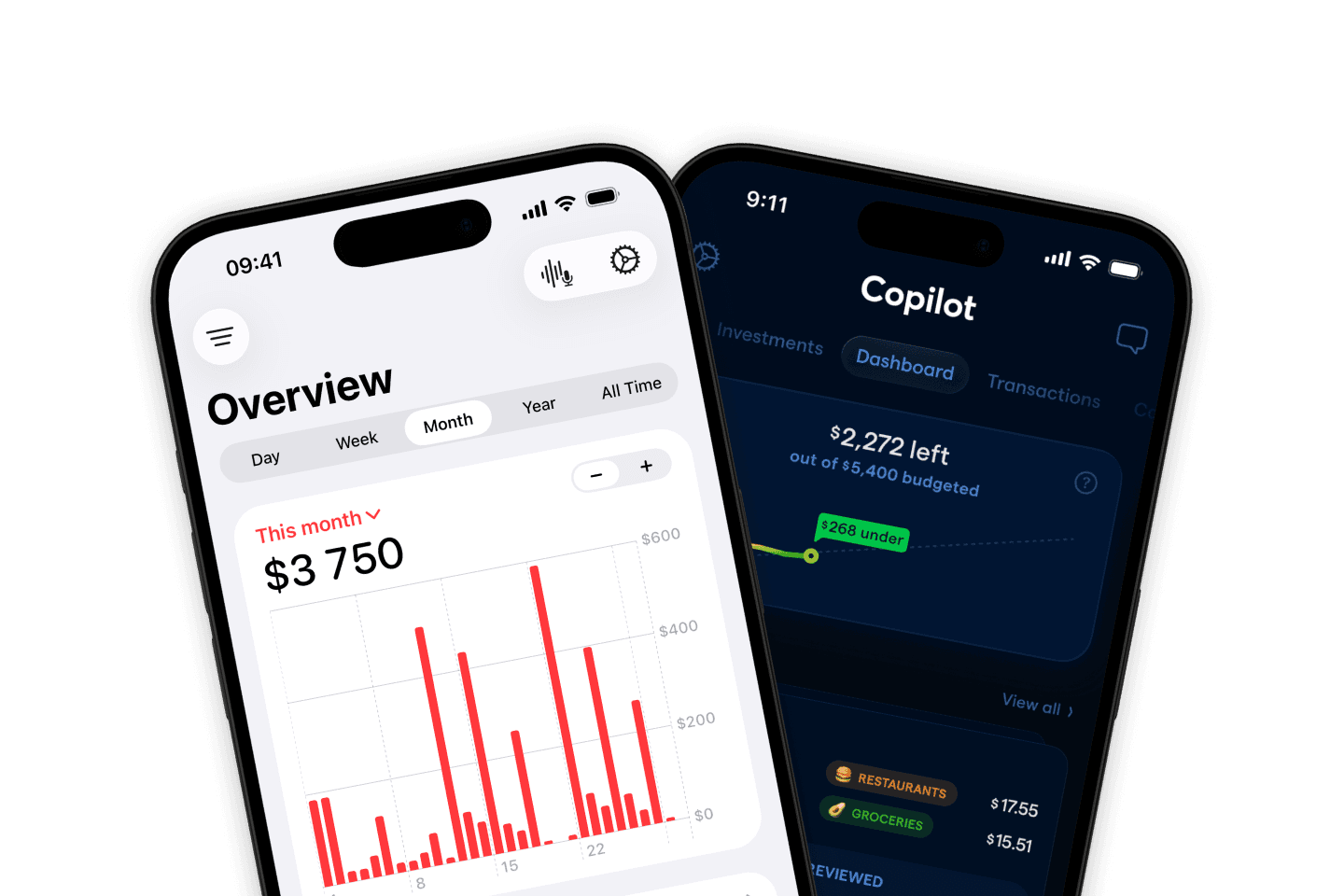
This article is about Copilot Money, the budgeting app by Copilot Money, Inc. It isn't about Microsoft Copilot or other AI assistants with a similar name.
Fineyo vs Copilot Money at a glance
| Fineyo | Copilot Money | |
|---|---|---|
| Best for | Private, fast tracking on iPhone and Apple Watch, alone or together, in any country | Automatic, bank-synced budgeting and investing for people in the US |
| Platforms | iPhone and Apple Watch (iPad and Mac coming soon) | iPhone, iPad, Mac, Apple Vision Pro, web |
| Countries | Anywhere the App Store is available | US only |
| Account needed | No, no sign-up | Yes, a Copilot account |
| Where your data lives | Your iPhone and your own iCloud | Copilot's servers |
| Bank sync | No | Yes, 10,000+ US institutions, plus Venmo, Apple Card, and Coinbase |
| Automatic logging | Apple Pay and bank notification automations, read on your iPhone | Bank sync, with machine-learning categories |
| Manual entry | Yes, the main way to log | Yes, manual accounts and transactions |
| Voice input | Yes, Fineyo AI on your iPhone | No |
| Siri and Shortcuts | Add expenses and ask about spending | Not documented |
| Apple Watch app | Yes, with complications | No |
| Widgets | Home Screen, Lock Screen, and Control Center | Home Screen: spending, budgets, net worth, accounts, recent transactions |
| Budgets | Overall or per category, by day, week, month, year, or trip | Monthly category budgets |
| Shared budgets | Spaces over iCloud: each person has their own login, shared accounts, budgets, and transactions | One shared login; no separate users |
| Recurring payments | Yes, logged automatically, with reminders | Detects recurring bills and subscriptions |
| Investments | Balances and net worth | Holdings and performance, compared with market indexes |
| Currencies | 80+, travel currency, multi-currency accounts | US dollars |
| App languages | 30+ | English |
| Price (US) | Free; Pro $3.99/month, $24.99/year, or $44.99 lifetime | $13/month or $95/year after a 1-month trial; no free plan |
| Import and export | CSV import free, export with Pro | CSV export; import from Mint |
This table uses Copilot Money's App Store listing, FAQ, and help center, and Fineyo's App Store listing and help center, checked in October 2026. Prices vary by country.
Why people look for a Copilot Money alternative
Copilot Money is a polished app, and many people love it. People who switch usually want one of these:
- A lower price. At $95 a year, Copilot costs about four times as much as Fineyo Pro's yearly plan, and more than twice Fineyo's one-time lifetime price, every year.
- A free plan. Copilot has a one-month trial, then you have to subscribe. Some people only need simple tracking and don't want another subscription.
- Support outside the US. Copilot only works with US banks and isn't available in other countries. People in Canada, the UK, Europe, and elsewhere need another app.
- No bank logins. Some people don't want to connect their bank accounts to a third-party service, or are tired of fixing broken bank connections.
- A real shared budget. Copilot has no separate users. Couples share one login, and every signed-in device has full control of the account.
- Multiple currencies. Copilot works in US dollars. If you travel, live abroad, or keep money in more than one currency, it doesn't fit.
Price
This is the biggest difference between the two apps.
Copilot Money has no free plan. After a one-month free trial, it costs $13 a month or $95 a year in the US App Store.
Fineyo is free to download and use, with no ads and no time limit. The free plan includes 1 account, 1 budget, up to 10 categories, and 3 recurring transactions. Siri and Shortcuts logging, the Apple Pay and bank notification automations, CSV import, and multiple currencies are free for everyone. Fineyo Pro removes the limits and adds Spaces, the spending map, receipt photos, all widgets, the full Apple Watch app, iCloud backup, and CSV export. In the US App Store it costs $3.99 a month, $24.99 a year, or $44.99 once for lifetime access, and works with Family Sharing. See Fineyo Pro.
Over three years, Copilot on the yearly plan costs $285. Fineyo Pro costs $74.97 on the yearly plan, or $44.99 once.
Bank sync vs private tracking
The two apps take opposite approaches.
Copilot Money is built around bank sync. You sign in to your banks, cards, and investment accounts through Copilot, and it pulls in your transactions and balances. It names direct integrations with Venmo, Apple Card, and Coinbase, and Copilot Labs adds Amazon and Venmo details. Its machine learning sorts your transactions into categories and gets better as you correct it. You can also add manual accounts and transactions for cash or for accounts it can't connect to. The connections are read-only, and Copilot says it doesn't store your bank credentials. Bank sync only works with US institutions.
Fineyo has no bank connections. You never share a bank login, and Fineyo works the same in every country. To keep logging fast, Fineyo offers ways to log that happen on their own, or in a couple of seconds:
- Apple Pay automation. A Shortcuts automation logs every tap-to-pay purchase. See Apple Pay automation.
- Bank notification automation. Fineyo reads payment notifications from your bank app on your iPhone, so it also catches online and card payments.
- Voice with Fineyo AI. Say "Groceries 32 at Lidl" and it becomes a transaction. See voice input.
- Siri and Shortcuts. Log an expense without opening the app. See Siri and Shortcuts.
- Back Tap, the Action Button, and Control Center. See Quick add.
- Apple Watch. Log from your wrist, even when your iPhone isn't nearby.
- CSV import. Bring in a statement from your bank. See import.
These automations are free in Fineyo.
If you want every transaction from every US account to show up without lifting a finger, Copilot does that better. If you'd rather not connect your bank, or you live outside the US, Fineyo gets you most of the way with automations that run on your iPhone.
Privacy and your data
Copilot Money needs a Copilot account, created with an email address or Sign in with Apple, and keeps your financial data on its servers so it can sync between your devices and the web. Its App Store privacy label lists financial info, coarse location, your name and email address, user content, a user ID, and product interaction data as data linked to you, used for app functionality, analytics, and personalization. It doesn't list tracking, and it shows no ads.
Fineyo has no account, no ads, and no server storing your finances. Your transactions stay on your iPhone and in your own iCloud, and shared spaces use Apple's iCloud sharing, so even a shared budget never passes through a Fineyo server. Fineyo AI and the notification automation run on your iPhone with Apple Intelligence. See how Fineyo handles your data and iCloud sync and privacy.
Shared budgets for couples and families
Copilot Money doesn't have separate users or a household mode. Its help center explains how a partner can sign in to your account on their own device with a Magic Link, and suggests category groups and tags to tell your spending apart. Any signed-in device has full control of the account, including its settings and connected banks. Shared budgets are an open request on Copilot's public roadmap.
Fineyo uses Spaces. Create a shared space for your household, partner, or a trip, and invite anyone with a link over iCloud. Each person uses their own Apple Account. Everyone sees and edits the same accounts, budgets, and transactions in real time. The Overview shows how much each person spent or earned, and every transaction shows who added it. You can have several spaces, like one for home and one for a holiday, while your Personal space stays private. Creating a space needs Fineyo Pro, but people who join don't need it, and there's no limit on members or spaces.
If you manage money together and want to keep your own logins, this is a clear reason to choose Fineyo.
Budgets, recurring payments, and reports
Copilot Money gives you monthly budgets per category, with rollovers, and a dashboard that shows how your spending is pacing. It detects recurring bills and subscriptions from your bank data and alerts you to things like unusual spending or overdraft fees. A cash flow view, savings goals, and Month in Review and Year in Review reports round it out.
Fineyo lets you set an overall budget or one per category for a day, week, month, year, or trip. You see your progress live, how much you can still spend each day, and past periods. Recurring payments like rent and subscriptions log themselves, with a reminder the day before. Insights compare months, break down categories, and project your spending, and a monthly report sums up where your money went. The spending map shows where you spent. See budgets, recurring transactions, and notifications and monthly reports.
Both apps cover everyday budgeting well. Copilot finds your subscriptions for you from bank data. Fineyo gives you more budget periods, like a daily budget or a budget for a single trip.
Investments and net worth
This is where Copilot Money is strongest. It tracks your brokerage, retirement, and crypto accounts, shows your holdings, and compares your performance with market indexes. Together with your bank accounts, cards, and loans, that gives you a full net worth picture that updates on its own.
Fineyo tracks account balances, transfers, and net worth, but not investment holdings or performance. You can keep an investment account and update its balance by hand.
If following your portfolio matters to you, Copilot does more.
Apple Watch, widgets, and Siri
Both apps are made for Apple devices, and both feel at home on iPhone. On iPhone and Apple Watch, Fineyo goes further:
- Apple Watch app with spending, budgets, balances, and logging from your wrist, plus complications for your watch face. Copilot Money has no Apple Watch app on the App Store.
- Widgets for the Home Screen, Lock Screen, and Control Center. See widgets. Copilot has Home Screen widgets for daily spending, categories, budgets, net worth, credit cards, accounts, and recent transactions.
- Ask Siri how much you spent this week or what's left in a budget. See Ask Siri.
Currencies and travel
Copilot Money works in US dollars with US accounts. Multi-currency support is an open request on its roadmap.
Fineyo supports 80+ currencies, with daily exchange rate updates and a travel currency on Pro, so new expenses on a trip default to the local currency while your totals stay in your main one. Accounts can hold different currencies. A shared trip space plus a travel currency makes group holidays easy to track. See currencies and travel.
Copilot is available in English. Fineyo is available in 30+ languages.
Platforms
Copilot Money runs on iPhone, iPad, Mac, and Apple Vision Pro, and has a web app at app.copilot.money. There's no Android app.
Fineyo is for iPhone and Apple Watch. iPad and Mac versions are coming soon, and there's no Android or web version. It works offline, and syncs over iCloud when you're back online. See offline use.
If you want to budget on a big screen today, Copilot is ahead.
Where Copilot Money is the better choice
Fineyo isn't the right app for everyone. Copilot Money is a better fit if you:
- Live in the US and want transactions pulled from your banks and cards automatically.
- Want machine-learning categories that learn from your corrections.
- Track investments and want to see holdings and performance next to your budget.
- Want a Mac, iPad, or web app today.
- Want subscriptions found for you from bank data.
- Don't mind paying $95 a year for all of that.
Who should choose Fineyo
Fineyo is a better fit if you:
- Use an iPhone, and maybe an Apple Watch.
- Live outside the US, or spend in more than one currency.
- Don't want to create an account or connect your bank.
- Want a free plan, or a much lower price, or to pay once.
- Want to share one budget with a partner, with each of you on your own login.
- Want to log spending in seconds with a tap, your voice, Siri, or Apple Pay.
How to switch from Copilot Money to Fineyo
Copilot Money exports your transactions to CSV, so moving your history takes about 15 minutes.
- Export from Copilot Money. On iPhone, open Settings, scroll to Account, and tap Export your transactions. Save the CSV file to Files. On the Mac, iPad, or web, you can export from the Transactions tab, after filtering by date or account.
- Check the amounts. Open the file in Numbers, Excel, or Google Sheets. Fineyo needs expenses as negative numbers and income as positive. Look at a few rows you know. If your purchases show as positive numbers, add a column with a formula like
=-C2, using your file's amount column, and fill it down. - Clean up and save as CSV. Delete rows for internal transfers and credit card payments between your own accounts, since they'd come in as income or expenses. Also delete rows marked as excluded, if you don't want them in your history. Then save the sheet as CSV: File → Export To → CSV in Numbers, or Save As → CSV in Excel.
- Import into Fineyo. In Fineyo, go to Settings → Import data, select the file, and match the columns. Use Copilot's date, amount (or your new column), category, account, and name for Fineyo's Date, Amount, Category, Account, and Description. Then tap Validate and Import.
A few things to know:
- Dates. Check the date format in the file, and choose the matching one under Date format.
- Merchant names and notes. Copilot keeps the merchant in name and your notes in note. Use the one you prefer as the Description, or combine them in the sheet first.
- Parent categories don't map directly. Match the parent category column to Tags to keep them, or use the parent category as the Fineyo category for a simpler setup.
- Recurring payments come in as one-off transactions. Set them up again as recurring transactions in Fineyo.
- Account balances start at 0 in Fineyo and change with each imported transaction. Check them after the import, and add an adjustment if a balance doesn't match.
- Categories and accounts that don't exist yet are created for you.
- Your Copilot subscription doesn't end when you stop using the app. Cancel it in Settings → Apple Account → Subscriptions on your iPhone.
The import guide explains every column, date formats, foreign currencies, and fixes for common errors.
FAQ
Is Fineyo a good alternative to Copilot Money?
Yes, if you use an iPhone and want a private budget app with no account and no bank login, a free plan, and a much lower price. Fineyo keeps your data on your iPhone and in your own iCloud, shares budgets with a partner through Spaces, works in any country with 80+ currencies, and logs spending with Siri, Apple Pay, bank notifications, voice, and Apple Watch. If you want automatic sync with US banks, investment tracking, or a Mac or web app today, Copilot Money is the better fit.
Is Fineyo cheaper than Copilot Money?
Yes. In the US in October 2026, Copilot Money costs $13 a month or $95 a year after a one-month free trial, with no free plan. Fineyo is free to use, and Fineyo Pro costs $3.99 a month, $24.99 a year, or $44.99 once for lifetime access. Prices vary by country.
Does Copilot Money work outside the US?
No. As of October 2026, Copilot's FAQ says it only supports US-based financial institutions and isn't available outside the US. Fineyo works in any country where the App Store is available, in 30+ languages and 80+ currencies, because it doesn't depend on bank connections.
Does Fineyo connect to banks like Copilot Money?
No. Fineyo has no bank connections and never asks for your bank login. Instead, Shortcuts automations can log Apple Pay purchases and payment notifications from your bank app automatically, read on your iPhone. You can also add transactions by tapping, by voice, with Siri, or by importing a CSV file.
Can I share a budget with my partner in Fineyo?
Yes. A Fineyo Pro user creates a shared space and invites anyone over iCloud. Each person keeps their own Apple Account, everyone sees and edits the same accounts, budgets, and transactions, and each transaction shows who added it. People who join don't need Fineyo Pro. Copilot Money doesn't have separate users; partners share one Copilot login, and every signed-in device has full control of the account.
Does Copilot Money have a free version?
No. Copilot Money offers a one-month free trial, then needs a monthly or annual subscription. Fineyo has a free plan with no ads and no time limit, including Siri logging, Apple Pay and bank notification automations, multiple currencies, and CSV import.
Do I need an account to use Fineyo?
No. Fineyo has no sign-up and no Fineyo account. Your data stays on your iPhone and syncs through your own iCloud. Copilot Money needs a Copilot account, with an email address or Sign in with Apple, and stores your data on its servers.
Can I move my data from Copilot Money to Fineyo?
Yes. In Copilot Money on iPhone, go to Settings → Account and tap Export your transactions to get a CSV file. Check that expenses are negative numbers, remove transfers and excluded rows, and import the file in Fineyo under Settings → Import data. Import is free.
Does Fineyo track investments like Copilot Money?
Not in detail. Fineyo tracks account balances and net worth, but not investment holdings or performance. If you want to follow your brokerage and retirement accounts and compare them with market indexes, Copilot Money does that better.
Copilot Money is a product of Copilot Money, Inc. Fineyo is not affiliated with Copilot Money, Inc. or with Microsoft. Details about Copilot Money come from its App Store listing, FAQ, and help center, checked in October 2026. Spot something out of date? Email info@fineyo.app.